
Your cart is currently empty!
-

·
Conversations Now With Emotions
Published March 13, 2026 We’re thrilled to announce that Replicas with Emotions are here. OrchestrateXR Conversations now include both the perception and expression of emotions—featuring subtle changes in body language, vocal tone, and facial expressions that make every practice scenario feel genuinely human. Whether you’re already using OrchestrateXR or exploring it for the first time,…
-
·
v2.4.1 / 6000.1.4f1
Updates, updates, updates! Fixes to critical playback issues. New versions of all of our core dependencies, and now running on the latest version of Unity 6.
-

·
Using Media Layers to Enhance Immersion
Media Layers allow you to add Images, Video, and Audio to your Orchestrate experiences, adding important context to your training and educational content and deepening your learner’s sense of presence in the training moment. Orchestrate makes it easy for you to control the size and position of the media, control the timing of playback, and…
-
·
Let’s Add Some Questions!
One of Orchestrate’s most essential features: Question Layers has been redesigned. Check out the new tutorial video below, and watch this blog, and your emails, for more updates from our team! Add Questions to your Experiences for Knowledge Assessment and Reinforcement We have redesigned the Question Layer editor to make adding Questions to your Experiences easier…
-

·
Creating, Uploading, and Using Assets, and Building Your Asset Library
Every Orchestrate account includes a Digital Asset Management system we call the Asset Library. This is where you’ll upload the videos, images, sound effects, and other files you and your authors need for creating Orchestrate Experiences. In the tutorial linked below we review the Asset Library, we share some recommendations for hardware and software you’ll…
-

·
Asking Questions, Assessing Learning and Reinforcing Knowledge Acquisition
We have redesigned the Question Layer editor to make adding Questions to your Experiences easier than ever, and we’ve created a new tutorial for you to use to learn the latest features. We’re excited to offer new AI features, which allow you to draft new question-and-answer banks and refine old ones. Asking your learners Questions…
-
·
New Ways to Share Your XR Content with OrchestrateVR!
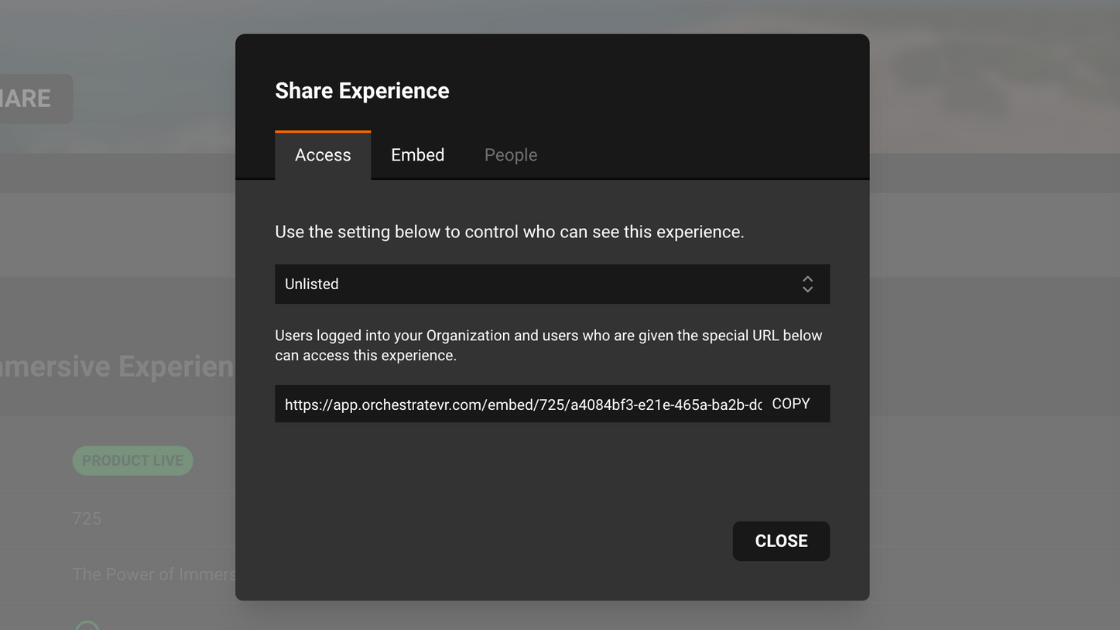
At OrchestrateVR, we’ve always called our platform the easiest way to create XR content—and now, we’re making it just as easy to share your immersive experiences with the world. With our latest update, we’re introducing new sharing options, embedding support, and Launch Codes to streamline how you distribute your XR content. Let’s dive in! 🔒…
-
·
Sharing Your Experiences
Orchestrate is not only the easiest way to create XR content but also the easiest way to share that content with your audience. Released today, new Sharing Options give you the power to share, embed, or keep secret your experience content. Embedding Experiences No matter your visibility settings, your Orchestrate experiences can now be embedded…
-
·
v2.3.16 b97 / 2022.3.56f1
Updates, updates, updates! A new version of the video player, updates to the web browser, and the latest version of Unity 2022.3. Fixes to video playback and some user experience improvements.